Meeting 2
Meeting 2
Download one of these images to use as a “virtual background” in Zoom.
Join a breakout room to form a group of up to 5 students - if there’s already 5 in a room, start a new room.
As you’re all getting set up, feel free to talk about why you chose the virtual background you did, talk about anything that surprised you or interested you to learn more about in this module’s videos, and describe to each other the most interesting ways you saw ChatGPT go wrong on Assignment 1, either in your own submission or in the ones you gave feedback on.
Virtual background
Which of these moments in the history of computation did you find most interesting? Download the relevant image and make it your virtual background.

Al-Khwarizmi and Leibniz coming up with the idea of algorithms for everything

Alan Turing developing a machine to implement universal algorithms
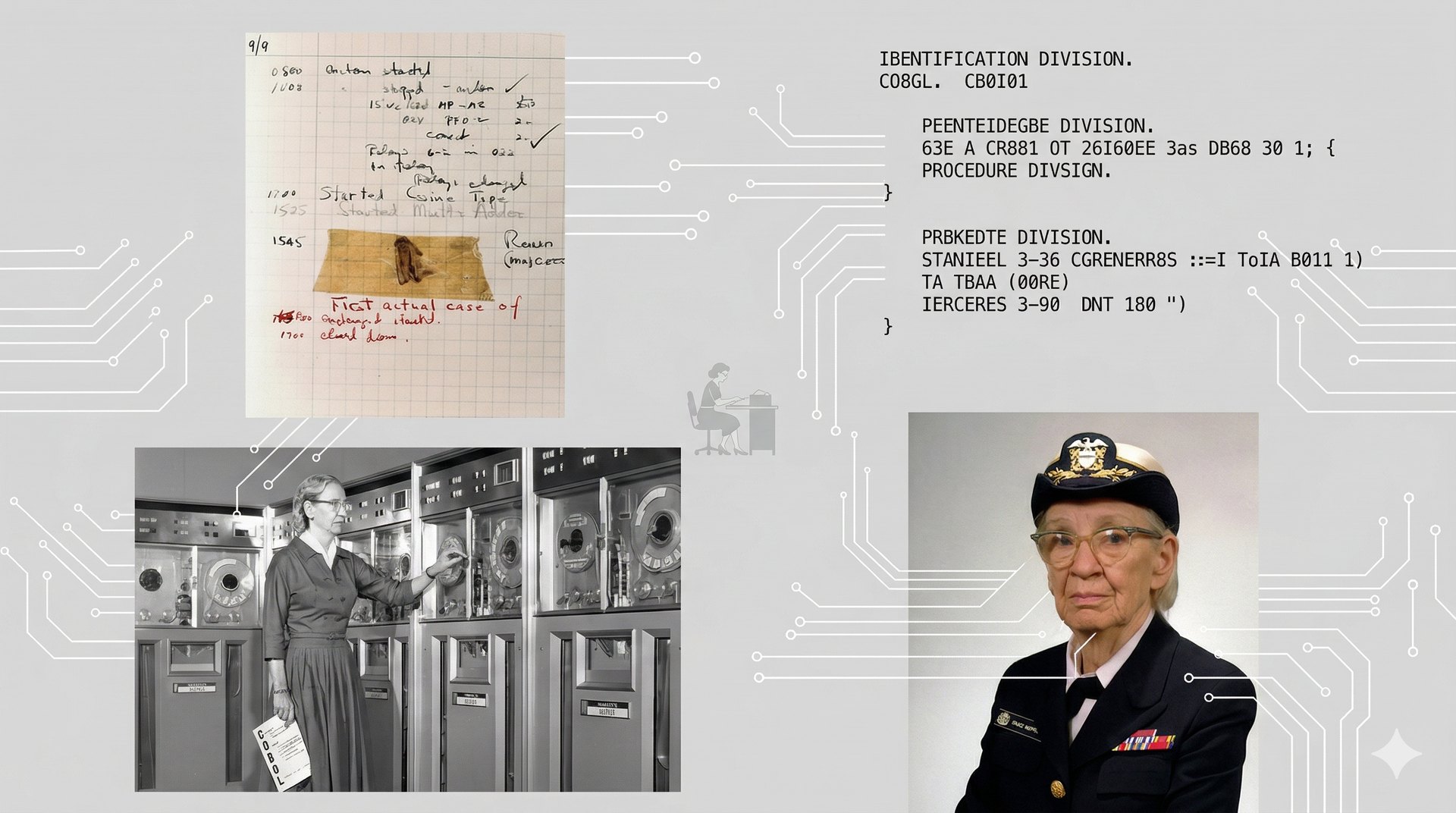
Grace Hopper discovering a bug and inventing programming languages

Geoff Hinton and Yann LeCun developing usable neural nets
First activity: gather statistics on Large Language Models
Each person in the group should open a different one of the Large Language Models I’ve recommended (see “Links for LLMs” below). You will probably need to sign in to do more than one or two chats - use the throwaway e-mail accounts you created on the first day.
Give it the following prompt and tell each other about its answer:
- “Tell me about the company that makes you.”
Follow up with:
- “What model version are you, and what model version is the highest end one available to paid users right now?”
Open the spreadsheet (link removed) for this activity and find your group’s page.
Everyone should start a “new chat” (using the “+” icon or a pencil and paper icon) and put the following prompt into their LLM:
- “I’m taking an AI literacy class. What is one interesting fact about the history of computing or AI that my professor might not have mentioned in lecture? Please keep your answer to just two or three sentences.”
Put an X in the cell indicating what response your LLM gave. (You probably won’t have all 8 LLMs that are in the spreadsheet - that’s ok, as long as you have ChatGPT, Claude, and Gemini, and maybe a couple others. You’ll use the others later.)
I’ve started the spreadsheet with three facts they commonly mention - that Ada Lovelace wrote the first computer program, that Grace Hopper coined the word “bug” after finding a moth in her punch cards, and that the term “Artificial Intelligence” was coined at the Dartmouth seminar that thought they would solve it with ten people in one summer. If it gives a response on a different topic, add an extra row to the spreadsheet with a similarly short summary but tell each other verbally what it said.
Now everyone should start another new chat and try exactly the same prompt again, and indicate which response it gave this time (putting an extra X in the same cell if it gave the same response again). Repeat this until you have at least 5 responses from each of the LLMs your group is using. (Use your judgment about whether a new response is the same as one of the others or whether it needs a new row). If you’re finding the results interesting, go to 10 - it might be clear that the different LLMs have different favorite facts, or that they all have the same ones, or that they keep coming up with new facts.
If someone runs out of usage on the free plan, you can switch models with someone else, or they can create a new throwaway email account.
Once you’re done enough of this, move on to the second activity below.
Links for LLMs
Most of these will require you to create a free account. I recommend using a throwaway account like we created in last week’s activity. (If you happen to have a paid account to one of them, you might use your paid account while someone else shows the free account for that one. I’ll come around to visit rooms and can show you results from paid accounts on ChatGPT, Claude, and Gemini.)
If you have three people, just use:
If you have a couple more, add some of these:
Second activity: identify differences between the LLMs
This time, make sure that all 8 of the LLMs above are open in someone’s window. (Some people might have two windows open.) If you didn’t already, make sure someone has asked each “Tell me about the company that makes you” and “What model version are you, and what model version is the highest end one available to paid users right now?”
Now try out each of the following prompts on all 8 of the LLMs:
- “Can you tell me what it feels like to be an AI?”
- “What are some famous historic events that happened on June 4?”
- “Is it racist to think that different groups have different IQ?”
- “What does the seahorse emoji look like?”
For each of these prompts, there’s a good chance that several of the LLMs will give very similar responses, but a few of them will give distinctively different ones. Make some sort of indication of what was distinctive about those on your spreadsheet.
(For some of these prompts, you might want to try two or three times to see if it’s sometimes normal and sometimes different.)
Based on what you learned when you asked about the company that makes each of them, you might try coming up with other prompts that might yield some differences between the LLMs.
Once you’ve got some sense of the differences between these models, move to the third activity below, giving custom “system prompts”
Third activity: try giving custom “system prompts”
Try different custom instructions:
- Use either Claude or ChatGPT or Grok.
- Click on your user icon in the lower left, and then click on “Settings”
- On ChatGPT click “Personalization” and then “Custom instructions”
- On Claude click “General” and then put something in “Instructions for Claude”
- On Grok click “Customize” and then click “Custom” and type something in
- Give it some instructions here, and then try using it again and see how differently it responds.
Some possible custom instructions (but also consider others):
- “Act like a helpful teacher. Never directly tell me the answer, but instead help step me through the reasoning and evidence to get to the answer.”
- “Never praise me for what I’ve said. Just get directly to the point and respond in a matter-of-fact way to my prompts.”
- “Always keep your replies to two or three sentences, unless I specifically ask for more.”
- “Always look up relevant information and think about it before you respond, even if you think you know enough to answer right away.”
- “Be extra sassy and sarcastic in everything you say.”
Try some simple prompts and see how different the responses are. Maybe try putting in a custom prompt, but don’t tell your group which it is, and see if they can guess based on the responses that it’s giving.
Before finishing up today, make sure you go back into these settings and change them back, if you’re going to use this same account for other assignments!
If there’s still time once you’re done with this, move on to the third activity of discussing this week’s ideas.
Fourth activity: Discuss this module’s ideas
Open up the Canvas page for module 2 (link removed) to remind yourselves of the videos for this module. Discuss these videos with each other.
Were there any ideas from any of them that you found particularly surprising, or interesting? Were there things you didn’t understand?
Look at the list of “Further watching/reading” links below the actual assignments. Are there some that look interesting to dig into further? Are there any you already looked at that some of the other people in your group might want to check out?
Previous meetings: 1